Rebuilding My Website Five Years Later — Without Writing a Line of Code
Five years ago, the first post on this blog was titled “Finally, a Website of My Own!”. In it, a self-described future CTO carefully documented building a site by hand: renting an Azure VM, installing MySQL on the host (and losing an afternoon to bind-address), running WordPress in Docker, then wiring up an NGINX reverse proxy and Certbot certificates. It took several weekends, and I signed off by praising Docker.
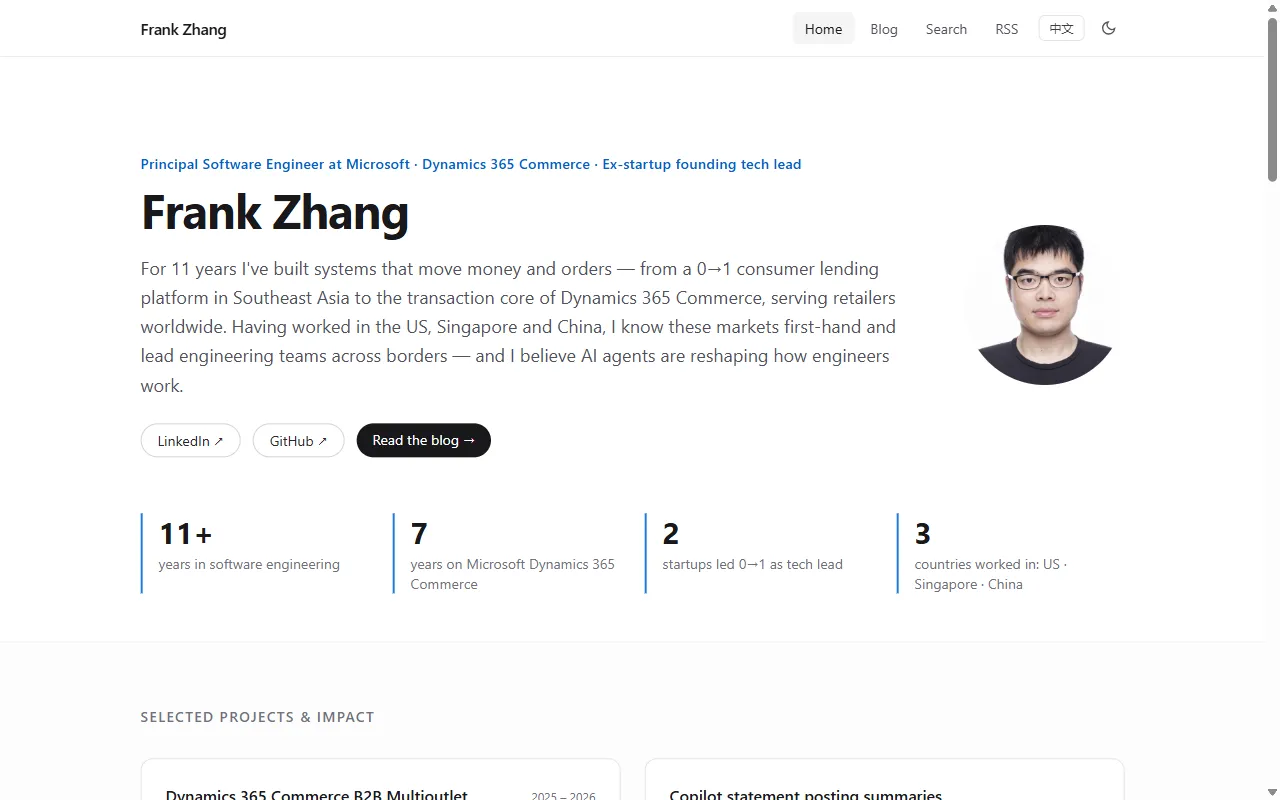
Five years later I rebuilt the whole thing. This time I didn’t write a single line of code, never logged into a server, and didn’t read a single tutorial. From my first message to a bilingual site in production took one evening, about 3.5 hours, and all of it was a chat with an AI agent (GitHub Copilot).
Why rebuild
WordPress served me for five years, but the cracks were obvious:
- My content wasn’t safe. Every post lived in a MySQL database on a single VM. If the database died, so did my writing.
- Poor availability. One small B2S VM, no CDN. When it was down, it was down.
- Publishing was friction. A lot of my thinking now happens in conversations with AI, and I still had to copy and paste it into the WordPress admin.
- It wasn’t cheap. Almost $40 a month for the VM, covered by my Azure credits.
With AI-written code this cheap, my idea was simple: drop the CMS, keep the site and its content in a GitHub repo, and let AI edit the website directly.
The brief
My first message to the agent read like a product spec:
Functional requirements
- Publishing must be effortless: if I draft something in an AI app like Muse or Dots, one sentence should get it published.
- Comments are allowed, but only appear after I approve them.
Non-functional requirements
- Content and code both live in my own GitHub repo.
- Put a CDN in front so it’s fast everywhere, but if the CDN costs more than $10/month, re-evaluate.
- Use free hosting if possible, otherwise my Azure credits. Keep it portable enough to move to AWS or even Alibaba Cloud later.
The process: plan first, then execute
Planning: asking questions like a good architect
The agent didn’t rush into code. In plan mode it asked me one thing at a time:
- Does access from mainland China matter? It explained how GitHub Pages, Cloudflare and Vercel behave there, and that a mainland CDN requires an ICP license.
- I asked it to look at how two friends built their sites. It quickly worked out that one is a Next.js homepage with the writing on Substack, and the other is Next.js on Vercel with the content in a public GitHub repo. Then it told me what was worth borrowing and what conflicted with my “I own my content” requirement.
- How do comments get moderated? It proposed something I loved: each reader comment automatically becomes a pull request in the repo, and merging it is the approval. Comments live in the repo just like posts.
- What about the domain? I didn’t understand the difference between a domain registrar and DNS hosting, so it patiently explained where renewal is billed, whether moving nameservers affects performance, and whether visiting the bare domain adds a redirect.
The architecture we landed on:
Me / Muse / Copilot ──► private GitHub repo (single source of truth)
                          │  PR → GitHub Actions: validate + build + deploy
                          ▼
                  Cloudflare Pages (global CDN, free)
                          ▲
Reader comment ─► Turnstile ─► edge function ─► opens a PR ─► I review- Astro generates a static site. Posts are Markdown files validated against a schema, so if an AI writes something malformed, CI rejects it.
- Cloudflare Pages hosts it with unlimited CDN bandwidth for $0 a month.
- The whole site is static files plus two tiny edge functions (the comment API and legacy URL redirects). The core logic uses only Web-standard APIs, so moving clouds means swapping one deploy step.
Execution: it does the work, I nod at the important moments
Once I approved the plan, I switched to autopilot and it got to work:
- Backup first. Using the Azure CLI already signed in on my machine, it ran commands on the VM to dump the database and archive the site files. It stored copies in Azure Storage and locally, then verified the checksums. It also noticed a few other services on that VM I’d half forgotten about, and warned me not to simply delete the VM later.
- Content migration. Through the WordPress REST API it converted 8 posts, 32 images and the one existing comment into Markdown. Every old URL now 301-redirects to its new home, so external links and search rankings survive.
- The homepage. LinkedIn needs a login to scrape, so it assembled my résumé from my own work documents and public Microsoft Learn pages, and filtered out anything internal on its own initiative: no codenames, no unreleased features, no customer names.
- Comments. Turnstile bot protection, rate limiting and spam checks, then a GitHub App that opens the PR and requests my review, so every new comment lands in my inbox. There’s also a build check that fails if any commenter’s email ever shows up in the published site.
- CI/CD. Every PR deploys a preview site and posts direct links to the changed pages on the PR.
- An
AGENTS.md. It explains to any AI how to publish posts and moderate comments in this repo. Muse, Copilot, Claude Code, or any assistant with GitHub access can follow it.
Human in the loop: what it wouldn’t do for me
A few steps needed me personally, and the agent’s judgment at those points impressed me:
- I created the Cloudflare API token myself. Later, when it needed more permissions, it clicked through the dashboard for me, but stopped and waited for my explicit approval before every permission change. Even my earlier “go ahead and configure it” didn’t count.
- Moving DNS meant changing nameservers at GoDaddy. I bought the domain through Azure and had never had a GoDaddy account, so it walked me through recovering that “invisible” account step by step.
- Creating the GitHub App was one click on “Create” by me in the browser. It handled the rest of the setup and verified it.
Credentials, permissions and irreversible actions stay with me. Everything else goes to the agent.
Changing my mind is cheap now
Once the site was live I came back with the usual stream of client requests:
- “Can it switch between Chinese and English?” It spun up three sub-agents to translate the old posts in parallel while it reworked the code.
- Halfway through I said, “Actually, make English the default.” It flipped the entire URL scheme and file convention.
- “This line wraps onto two lines, fix it.” “Make my avatar round.” After each change it posted a fresh preview link, and it only merged once I said “approved”.
Each of those used to mean hours of research and implementation.
Before and after
| 2021: built by hand | 2026: agentic AI | |
|---|---|---|
| Time | Several weekends | One evening (~3.5 hours) |
| Code I wrote | Lots of shell and NGINX config | 0 lines |
| Where content lives | MySQL on a VM | GitHub repo (Markdown) |
| Hosting / CDN | One B2S VM, no CDN | Cloudflare global CDN |
| Monthly cost | ~$38.50 (VM) | $0 (just the domain) |
| Publishing a post | Edit in the WordPress admin | Tell the AI, check the preview, say “approved” |
| Languages | Chinese | English + Chinese |
Closing thoughts
Five years ago, one reason I picked WordPress was that its ecosystem would make it easy to migrate later. That turned out to be true. I just didn’t expect that I wouldn’t be the one doing the migrating.
Back then, the future CTO in that post thought professionalism meant choosing a sufficiently “enterprise” stack. Looking back, what actually mattered this time was stating requirements clearly, making the key trade-offs, holding the line on permissions and security, and accepting or rejecting the result. The code itself has become the cheapest part.
And yes, this post was published the new way too: the AI drafted it from our evening-long conversation, opened a PR and sent me a preview link. I read it and said “approved”.
Comments are welcome below. They’ll show up once I approve them 😄
Comments
No comments yet — be the first to leave one.